
Packing guide
How to make a weather-based carry-on packing list
PackBrief builds a carry-on checklist from your destination, dates, expected weather and activities. You can create and edit the list in the free app and use it offline after it’s saved.
Start a trip and choose Carry-on
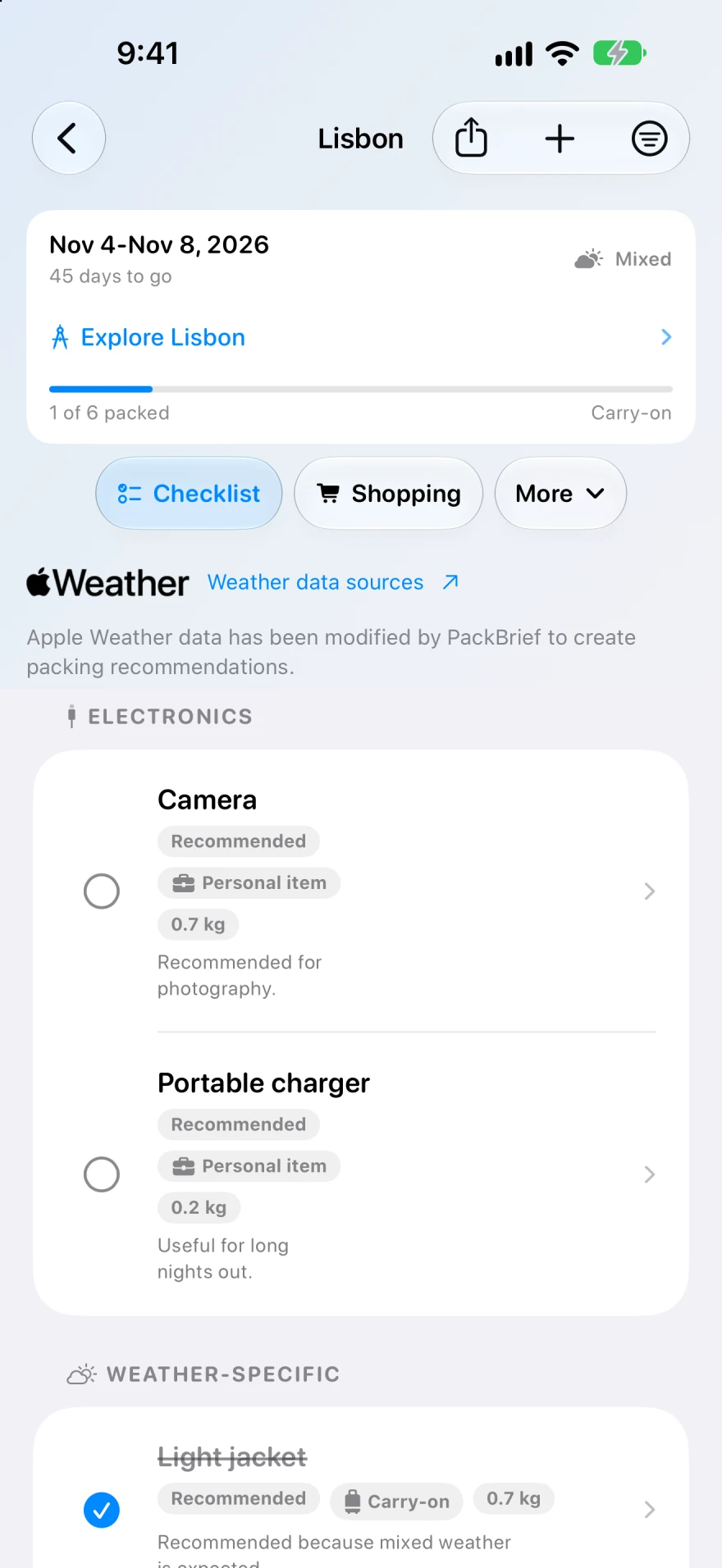
Open PackBrief on your iPhone or iPad, tap the + button, and enter your destination and dates. Choose a place from the search results so PackBrief can look up its weather. Set Luggage to Carry-on and select the activities you plan to do.
Review the forecast or set expected weather
Check the Weather section before generating the list. When a forecast is available, PackBrief uses it to suggest a weather profile. If the trip is too far out or you’re offline, choose Expected weather yourself. Pick the conditions you need to pack for, such as cold, rainy or mixed weather.
Create the list and trim it to fit
Tap Create Packing List. Review the categories and quantities, add anything you need and remove items you can do without. For a five-day city break with mixed weather, a light rain layer and clothes you can rewear are a starting point. Check your airline’s carry-on rules for the final size and weight.
What’s free and what requires Premium?
The free version includes one trip and the packing list generator. Premium is a subscription that adds unlimited trips, dynamic weather suggestions when conditions change, and tools such as bags and weight tracking. Use the iPhone or iPad app to create the trip, then use the Apple Watch companion to check your packing list.